
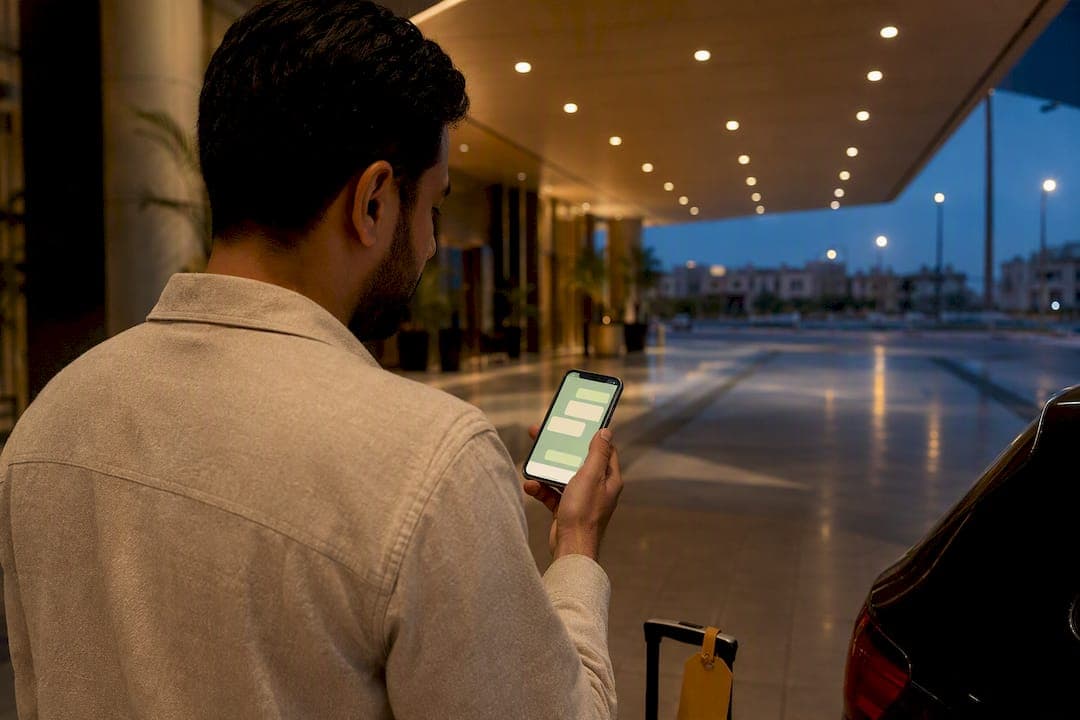
Yes, reaching a driver through WhatsApp is often possible, but not always through their personal number. Start with your booking app's in-app contact button, then check your assignment email or booking confirmation for an official number. Many platforms route calls and messages through anonymized numbers to protect both sides, so if the app offers a direct channel, use that first before assuming WhatsApp is required at all.
TL;DR:
- Most ride-hailing platforms route communication through anonymized numbers; direct WhatsApp contact with drivers is rarely available or legitimate.
- Checking the app's built-in contact feature or your booking confirmation email should be your primary approach before attempting WhatsApp messaging.
- Automated WhatsApp dispatch messages typically come from verified business contacts, include a booking reference, and offer structured reply options.
- Confirm driver identity by matching their photo and vehicle details with your booking, and avoid sharing personal information or payments via WhatsApp.
- If WhatsApp communication delays or fails, contact support directly with screenshots and timestamps instead of repeatedly messaging the driver.
Table of Contents
- Methods for Direct WhatsApp Driver Communication
- Why Platform Privacy Rules Limit Direct Contact
- How Automated WhatsApp Dispatch Actually Works
- WhatsApp Message Templates for Pickups and Directions
- What to Do When WhatsApp Contact Fails or Lags
- Driver Communication Etiquette That Keeps Things Clear
- How to Confirm You're Talking to the Real Driver
- A Traveler's View on WhatsApp Contact and Peace of Mind
- Book a Transfer With Verified Driver Details, Not Just a Phone Number
- Sources
- FAQ
Methods for Direct WhatsApp Driver Communication
Getting through to a driver usually comes down to trying these options in order, rather than guessing which app or number will work.
- Use the app's built-in contact feature first. Open your ride or transfer app, tap the driver bar on your active trip screen, and select "Contact." Most apps then offer "Free call" or "Message" options that connect you without revealing either party's real number. This anonymized routing is standard on major ride-hailing platforms and protects your privacy while still letting you coordinate a pickup.
- Check your booking confirmation or assignment email. Some transfer operators list a direct driver number in the confirmation email itself. Welcome Pickups, for example, sometimes includes a number passengers can call or message directly, which is worth checking before you assume you need to hunt for another contact route.
- Recognize legitimate automated WhatsApp dispatch messages. If a message arrives from an official-looking business name with a booking reference, a Google Maps pin, and a one-tap confirm button, it's likely part of an automated fleet workflow rather than a personal chat.
A driver's personal WhatsApp number often isn't available at all. Ride-hailing platforms increasingly anonymize driver and passenger phone numbers, routing communication through temporary local numbers instead of exposing either side's real contact. That's a privacy safeguard, not a glitch, and it's why the in-app button should always be your first move.
Why Platform Privacy Rules Limit Direct Contact
Anonymized contact exists for a reason: it keeps both driver and passenger safe from having their personal numbers exposed to strangers after a single trip. When you message through the app, the platform can log the conversation, monitor for abuse, and step in if something goes wrong.
The moment you switch to a personal WhatsApp chat, you lose that mediation. There's no automatic dispute record, no monitoring, and no easy way for the platform's support team to pull up your conversation if something goes sideways.
A few habits keep you covered either way:
- Confirm the driver's photo and license plate match what your booking shows before getting in.
- Share your live location with a trusted contact during the ride, especially at night.
- Keep WhatsApp exchanges short while the driver is en route. Platforms actively advise drivers against replying while driving, so a long back-and-forth just creates a distraction risk for no benefit.
Pro Tip: If a driver asks to move the conversation to a personal WhatsApp chat before pickup, confirm the booking reference and vehicle details first, then take a screenshot of the request. That small step gives you a record if you ever need to raise a concern with support.
How Automated WhatsApp Dispatch Actually Works
Professional transport operators increasingly run driver coordination through WhatsApp Business tools rather than building a separate driver app from scratch. The logic is simple: drivers already have WhatsApp installed, so dispatch platforms can send pickup assignments, map pins, and instructions directly through a channel drivers already check dozens of times a day.
That approach cuts training time and speeds up adoption compared to asking every driver to download and learn a new proprietary system. Fleet tools built specifically for this, like AiBotick's logistics automation, let dispatchers send a pickup assignment with a location pin and collect a one-tap confirmation, sometimes along with a photo once the job is complete.
A legitimate automated message tends to share a few traits:
- It comes from a recognizable business sender name, not a random personal contact.
- It includes a booking reference number you can match against your own confirmation.
- It offers a structured reply option (confirm, decline, or reschedule) rather than open-ended chat.
- Any attached photo or vehicle detail matches what your booking already told you.
Fleets that centralize these chats into a shared team inbox, an approach used by tools like Qinetic, keep every conversation tied to the driver's record. That matters more than it sounds: if a dispute ever comes up, the operator can pull the exact chat history instead of relying on a driver's personal phone.
WhatsApp Message Templates for Pickups and Directions
Having the right words ready saves time when you're standing on a curb trying to spot the right car. These templates work whether you're messaging through an anonymized in-app channel or an official WhatsApp number provided by your operator.
- Arrival message: "Hi, this is [your name], booking reference [XXXX]. I'm outside [landmark, e.g., Terminal 1 arrivals, Gate 3]. Please let me know your vehicle color and plate number."
- Can't find each other: "I don't see the car yet. I'm standing near [specific landmark]. Can you confirm your current location or send a pin?"
- Verification request: "Could you send a photo of yourself and the car, plus the plate number, before I come out? Just want to confirm before boarding."
- Escalation message (unresponsive driver): "Booking reference [XXXX]. I haven't heard back in 10 minutes and I'm still waiting at [location]. Please confirm status or I'll contact support."
Pro Tip: Always lead with your booking reference. Automated dispatch systems and human dispatchers both process a reply faster when it's tied to a specific booking number instead of a generic greeting.
Keep these short. A driver reading messages at a red light or between fares needs a quick answer, not a paragraph.
What to Do When WhatsApp Contact Fails or Lags
Delayed replies happen, and they don't always mean something's wrong. Drivers are often mid-trip, and platforms actively discourage them from replying while behind the wheel.
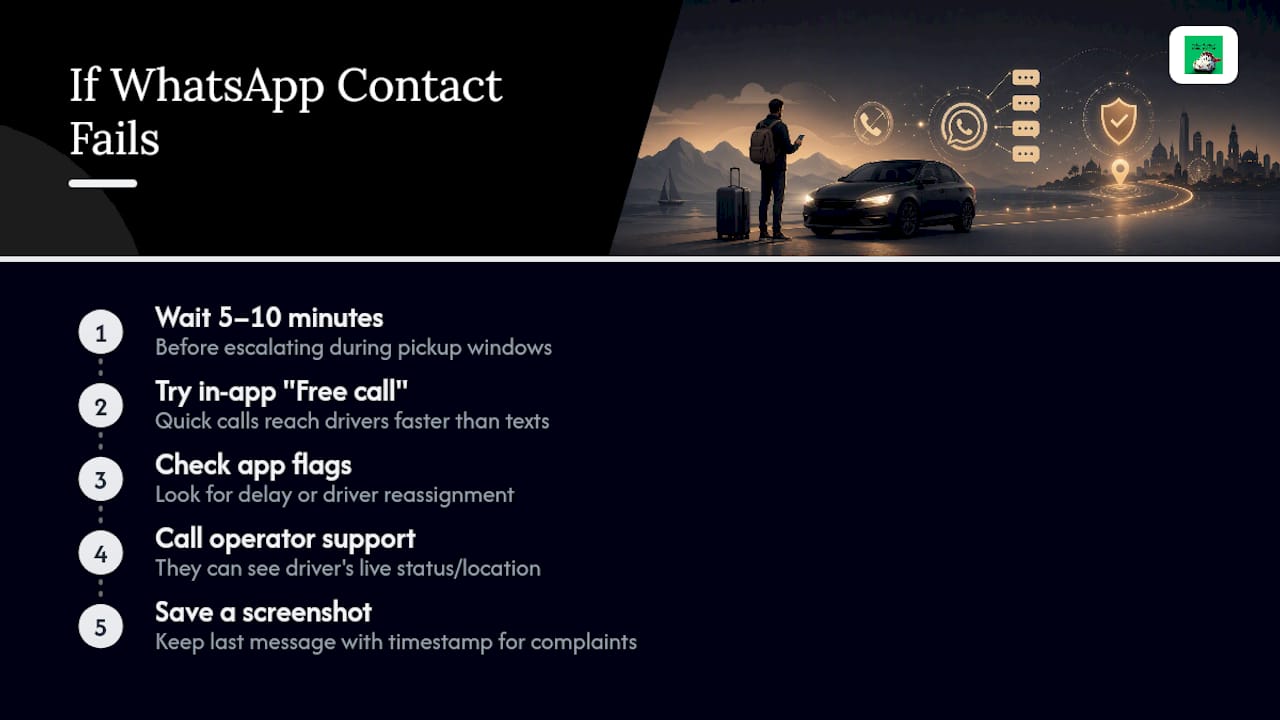
Give a message 5 to 10 minutes before escalating, especially during pickup windows at busy airports or bus stations where signal can be patchy. If nothing comes back, try the in-app "Free call" option instead of typing again. A quick call often reaches someone faster than a stacked thread of unanswered texts.
If the app-based contact option isn't working at all, check whether the app itself flags a delay or driver reassignment. Sometimes a "failed" WhatsApp message is really a sign the trip was reassigned to a different driver, and the original chat thread just went stale.
When neither the app nor WhatsApp gets a response, go straight to your operator's support line rather than repeating the same message. Support teams can usually see the driver's live status and location even when your personal message hasn't landed. Keep a screenshot of your last message and its timestamp. If you need to file a complaint later, that record makes the process faster.
Driver Communication Etiquette That Keeps Things Clear
A short, specific message beats a friendly but vague one every time. Lead with your booking reference, state exactly what you need, and stop there.
Avoid sending multiple messages in a row if the first one hasn't been answered yet. Stacking texts doesn't speed up a reply. It just clutters the thread and makes it harder for the driver to find the actual question once they do check their phone.
Respect driving time. If a driver's last message said "on the way," resist the urge to ask for constant updates. One follow-up after a reasonable gap is fine. Five follow-ups in ten minutes isn't.
Keep the tone plain and businesslike. You're coordinating logistics, not building a friendship, and a clear, courteous message gets a faster response than an overly casual one. If the driver replies briefly or doesn't use much punctuation, that's normal. Many are typing while managing traffic or multiple bookings at once.
How to Confirm You're Talking to the Real Driver
Impersonation attempts are rare but not impossible, especially when a booking reference gets shared more widely than it should. A few checks protect you without adding much friction.
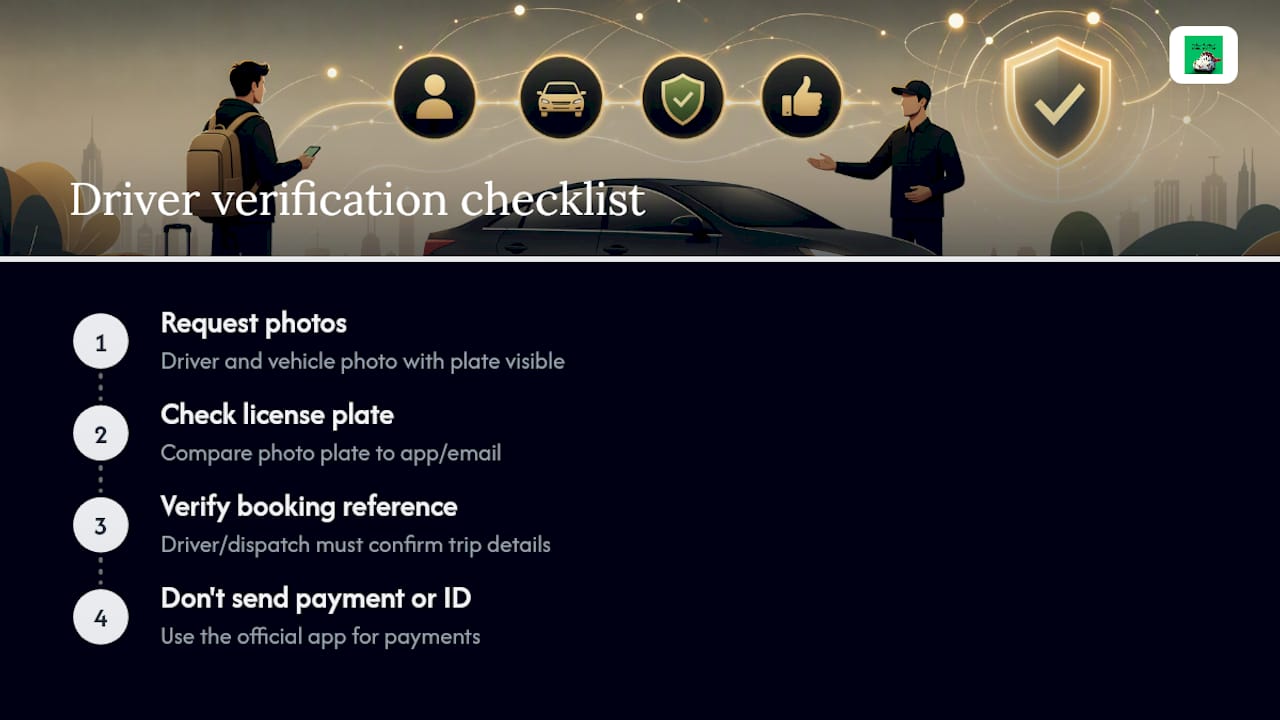
Ask for a photo of the driver and the vehicle if your booking didn't already supply one. Match the license plate in that photo against the plate shown in your app or confirmation email. If the two don't line up, don't get in the car and contact support immediately.
Treat the booking reference as your verification key. A real driver or dispatch system will recognize it instantly and reply with matching trip details. Someone who can't confirm basic details tied to your reference number is a warning sign.
Never send payment, personal identification numbers, or extra personal details through a WhatsApp chat, even if the sender claims it's required to "confirm" the ride. Legitimate operators handle payment and verification through the booking platform itself, not through a side chat.
A Traveler's View on WhatsApp Contact and Peace of Mind
For someone visiting the holy sites for the first time, a delayed WhatsApp reply can feel like a much bigger problem than it actually is. What actually reduces anxiety isn't more messaging. It's having the driver's photo and vehicle details in hand before you even reach the curb, so there's nothing left to confirm by text.
The travelers who handle this best treat WhatsApp as a backup, not the main event. They lean on official pre-trip details first and only reach for message templates when something genuinely needs clarifying, like a landmark mix-up at a crowded terminal.
— Fa
Book a Transfer With Verified Driver Details, Not Just a Phone Number
Some operators provide driver photos, vehicle details, and real-time tracking sent automatically before your trip starts, reducing guesswork and anxious messaging at pickup.
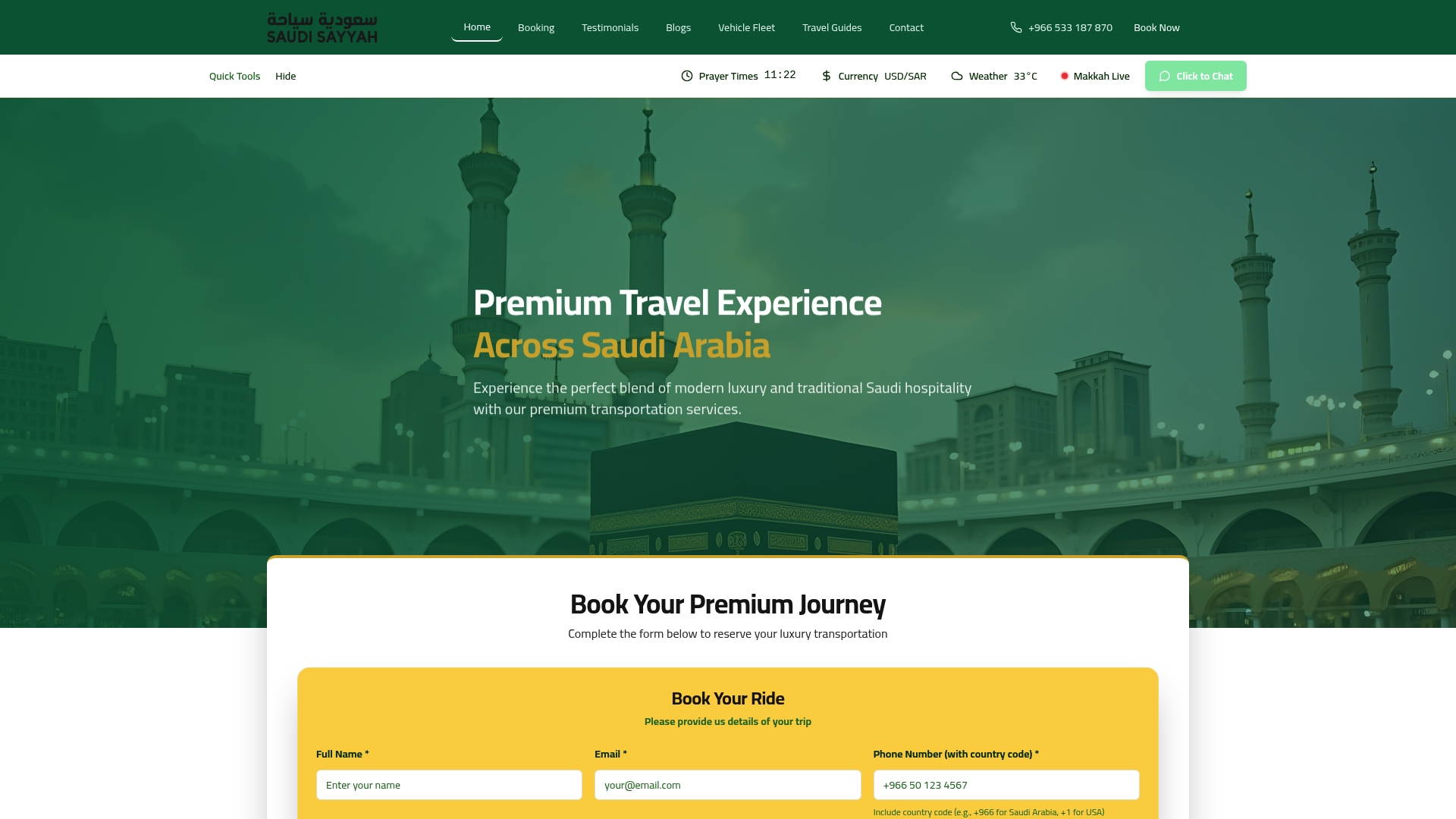
That's the practical difference between piecing together contact info yourself and having an automated booking system hand you everything upfront. Our experienced drivers arrive in a modern, well-maintained fleet, and constant communication continues through your entire trip, not just the pickup moment. Whether you need point-to-point transportation, an airport transfer, or a full Ziarah package, book through Saudisayyah's services page and know exactly who's picking you up before you leave your hotel.
Sources
- How WhatsApp Business improves logistics and transportation communication — Link Mobility
- Uber privacy notice for drivers and delivery people — Uber
- AiBotick logistics solutions — AiBotick
- How can I reach out to my driver via the Driver/Traveler chat? — Welcome Pickups support
FAQ
How Do I Contact a WhatsApp Business Account for Support?
Look for the business's official WhatsApp number listed on their website or booking confirmation, then message it directly. Most business accounts reply with automated menus or booking-reference prompts to route your question quickly.
How Do I Message Someone on WhatsApp Without Their Number?
You generally need a phone number or a shared contact link to start a WhatsApp chat. For drivers, use your ride or transfer app's in-app contact button instead, since it connects you through an anonymized channel without exposing either number.
How Do I Reach a Support Team if My Driver Doesn't Respond?
Contact your operator's support line through the app or booking confirmation rather than resending WhatsApp messages. Operators like Saudisayyah maintain constant communication and can check driver status directly instead of waiting on an unanswered chat.
How Do I Find a WhatsApp Number for My Driver?
Check your booking confirmation or assignment email first, since some operators list a direct number there. If none appears, use the app's built-in "Contact" button, which connects you without needing a saved WhatsApp number at all.
What Should I Do if a WhatsApp Message From My Driver Looks Suspicious?
Verify the sender name, booking reference, and vehicle details against your original confirmation before replying. If anything doesn't match, contact your operator's support team instead of responding to the message directly.