
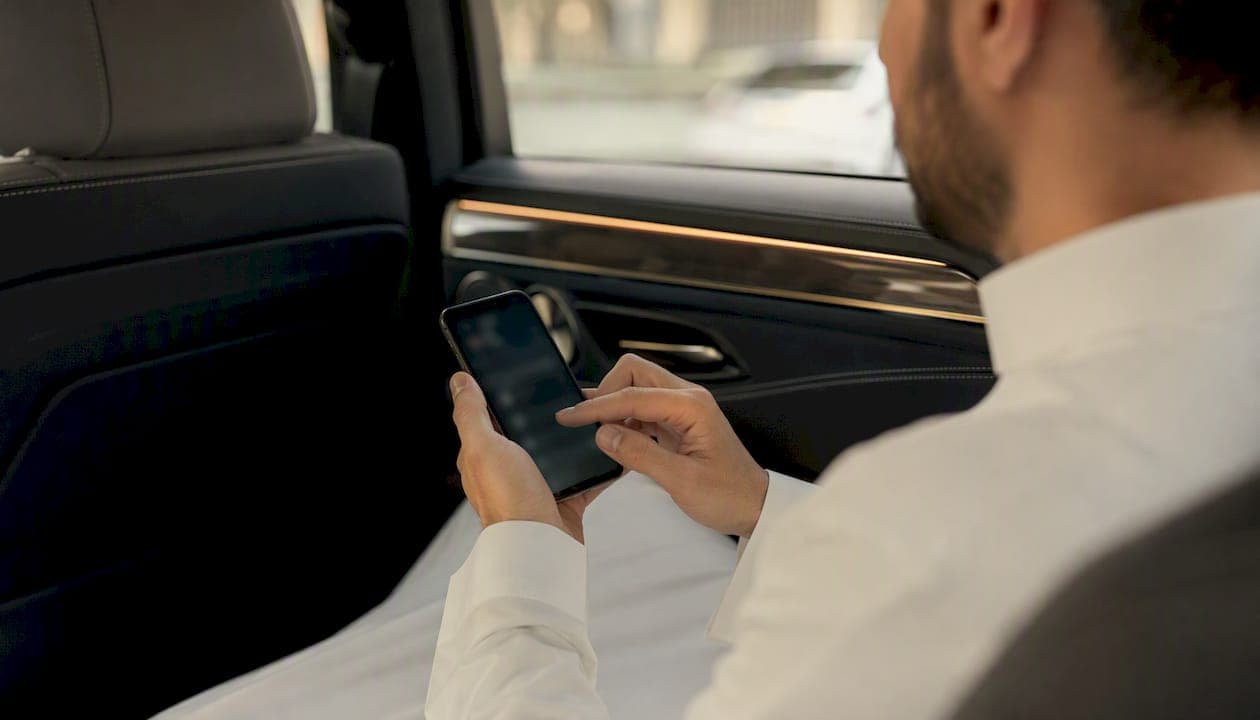
A company-issued digital driver ID is a verified passenger-facing profile delivered to your phone after booking. It shows the assigned driver's photo, full name, employee or license ID, vehicle make and color, and license plate number. Before you board, check these fields against the actual car and driver in front of you.
Key steps before entering any vehicle:
- Match the license plate exactly. The plate number in the app must match the physical plate on the car. No partial matches.
- Confirm the driver photo and name match the person standing at the vehicle.
- Check the vehicle make and color listed in the app.
- Note the trip details (pickup point, route) to confirm the booking is yours.
Saudisayyah sends driver photos, vehicle details, and real-time tracking to passengers before every trip through its geolocation-enabled platform.
Table of Contents
- What fields does a digital driver ID show you?
- How does a digital driver ID actually reach you?
- Step-by-step: how to verify your driver before pickup
- What to do if the details don't match
- Why professional operators use digital driver IDs
- Privacy and data: what passengers should expect
- Red flags and scams to watch for at pickup
- How to choose a transport operator with reliable verification
- Key Takeaways
- The verification step most passengers skip
What fields does a digital driver ID show you?
A digital driver ID typically includes several distinct fields. Knowing what to look for speeds up curbside verification.
- Driver photo: A clear headshot from onboarding. Compare it to the person at the vehicle.
- Full name: Matches the booking confirmation.
- Employee or driver ID: A unique identifier tied to the operator's records.
- Vehicle make, model, and color: Confirms you are approaching the right type of car.
- License plate number: The single most critical field. Exact match only.
- Trip details: Pickup time, pickup location, and route or stop names.
- Credential status indicators: Labels such as "background check complete" or "license verified."
- In-app contact and support channel: A direct line to the operator, plus a real-time tracking link you can share.
Pro Tip: Screenshot the digital driver ID before you walk to the vehicle. If anything looks wrong at curbside, you already have the record saved.
How does a digital driver ID actually reach you?
The profile arrives immediately after booking confirmation, via the app, SMS, or the booking platform. The timing matters: you should have the driver's details before the car pulls up, not after.
The reliability of that profile depends on what happened during driver onboarding. Operators run document scans, optical character recognition on the license, and biometric face matching to validate credentials. Automated identity verification extracts and authenticates license data and compares a selfie to the ID photo, with onboarding completing in under 60 seconds at high success rates after automation.
At the start of each shift, many operators require a biometric re-authentication step, typically a liveness check or selfie match. This step prevents account sharing and impersonation: the driver shown in the app must physically re-confirm identity before going online. Biometric face matches often run in under 30 seconds to keep operations moving. Innovatrics reported its liveness algorithm passed stringent iBeta testing, detecting numerous spoof attempts with no false accepts, illustrating strong resistance to photo and video attacks.
| Verification stage | What happens | Passenger benefit |
|---|---|---|
| Onboarding | Document scan, OCR, face match | Confirms the driver is who they claim to be |
| License validation | License data extracted and authenticated | Confirms credentials are current |
| Shift-start biometric | Liveness/selfie check before going online | Reduces impersonation risk |
| Trip delivery | Profile pushed to passenger app | Passenger can verify before boarding |
Step-by-step: how to verify your driver before pickup
- If anything mismatches, cancel in the app — Move to a safe distance, contact verified support, and call local emergency services if you feel threatened.
Pro Tip: Pilgrims traveling between Makkah and Madinah often arrive tired and distracted. Set a habit: plate check first, every time, before you open the car door.
What to do if the details don't match
Act quickly and stay calm. The steps below apply whether the mismatch is a plate number, a photo, or a name.
- Call local emergency services — if the driver refuses to leave or you feel threatened. Provide your live-tracking link to the dispatcher so they have your location and the assigned driver's profile.
Why professional operators use digital driver IDs
A visible digital driver profile does more than reassure passengers. It creates an auditable trail that ties every trip to a specific verified driver and vehicle. Operators that publish a visible digital driver profile and real-time tracking build stronger passenger trust and a retrievable record for incident response.
- Audit trail: Trip data, driver identity, and vehicle info are correlated in the operator's system. If an incident occurs, support staff can pull the exact record.
- Reduced impersonation: Biometric re-authentication at shift start means the driver in the app is far more likely to be the driver who actually arrives.
- Regulatory compliance: Background checks and license validation support compliance with transport regulations, raising the baseline safety standard across the fleet. Saudisayyah's verified vehicle standards reflect this approach for pilgrim transport in Saudi Arabia.
- Faster incident response: Operators can correlate trip data, driver identity, and vehicle info quickly when something goes wrong.
Not all transport options use the same verification depth. Tech-enabled operators typically couple continuous background checks with biometric re-authentication. Non-digitized local taxis usually lack these layers. Passengers should not assume parity between a booked digital service and an informal street taxi.
Privacy and data: what passengers should expect
Operators store driver profiles, verification timestamps, and trip logs. Passenger financial data is not part of the driver-facing profile. Access is limited to the operator, authorized support staff, and law enforcement with a lawful request.
- Retention: Trip records are typically retained for a defined period set by the operator's privacy policy. Check the policy or ask support for specifics.
- Passenger access: You can request trip records or report misuse through the in-app support channel.
- Practical tip: Share your live-tracking link with a trusted contact rather than posting driver credentials publicly. The link gives location data without exposing the driver's personal ID fields.
Red flags and scams to watch for at pickup
Fraud at pickup usually follows a recognizable pattern. Knowing the pattern makes it easier to spot.
- "The app is glitching" when the plate or name doesn't match. This is the most common deflection. Cancel.
- Partial or altered plate numbers. A plate that is one character off is not a match. Exact only.
- Photos that don't resemble the driver. Outdated or substituted photos are a known fraud method.
- Pressure to use a different app or to complete the booking outside the platform. Legitimate operators do not redirect passengers mid-trip.
- Third-party handlers offering a "replacement vehicle" without an updated digital driver ID. Insist on a new record before boarding.
- Copied screenshots of a legitimate digital driver ID. Always match the live plate and ask the driver to confirm your name. A screenshot cannot replicate a real-time plate.
How to choose a transport operator with reliable verification
Questions to ask or check before booking:
- Does the operator send driver photo, plate, and vehicle details before pickup?
- Is there a background-check badge or credential status visible in the booking flow?
- Does the operator require biometric re-authentication at shift start?
- Is a shareable live-tracking link available?
- Is there a verified in-app support channel with a real response path?
Practical booking filters:
- Choose prebook options with confirmed driver details rather than anonymous dispatch.
- Prefer operators that publish their verification process on their site or in-app. Saudisayyah provides driver photos, vehicle details, and live tracking through its booking platform as standard practice for every trip.
- Check fleet standards. Operators with maintained, current-model fleets present consistent vehicle appearances, which makes plate and make verification more reliable.
- Avoid informal options that cannot provide a digital driver profile at all.
Saudisayyah's automated booking system delivers driver photos, vehicle details, and real-time tracking before every trip. Book a verified transfer for your Umrah or Saudi Arabia journey.
Key Takeaways
A digital driver ID is only useful if passengers check it against the actual driver and vehicle before boarding: the license plate match is the single most critical step.
| Point | Details |
|---|---|
| Match the plate first | The license plate in the app must match the physical plate exactly before you board. |
| Biometric checks reduce impersonation | Shift-start liveness checks mean the driver shown in the app is far more likely to be the actual driver. |
| Share your live-tracking link | Send the link to a trusted contact before the trip starts, especially when traveling alone. |
| Mismatch means cancel | Any discrepancy in plate, photo, or name is a reason to cancel and contact verified support. |
| Choose verified operators | Prefer operators that publish driver photos, plate details, background-check status, and real-time tracking. |
The verification step most passengers skip
Most passengers glance at the driver photo and get in. The plate number gets ignored because it feels like extra work at a busy curb. That is the gap scammers rely on.
A photo can be copied. A name can be faked. A physical license plate on a specific vehicle at a specific location cannot be replicated in real time. The plate match is the one check that closes the impersonation loop, and it takes about five seconds.
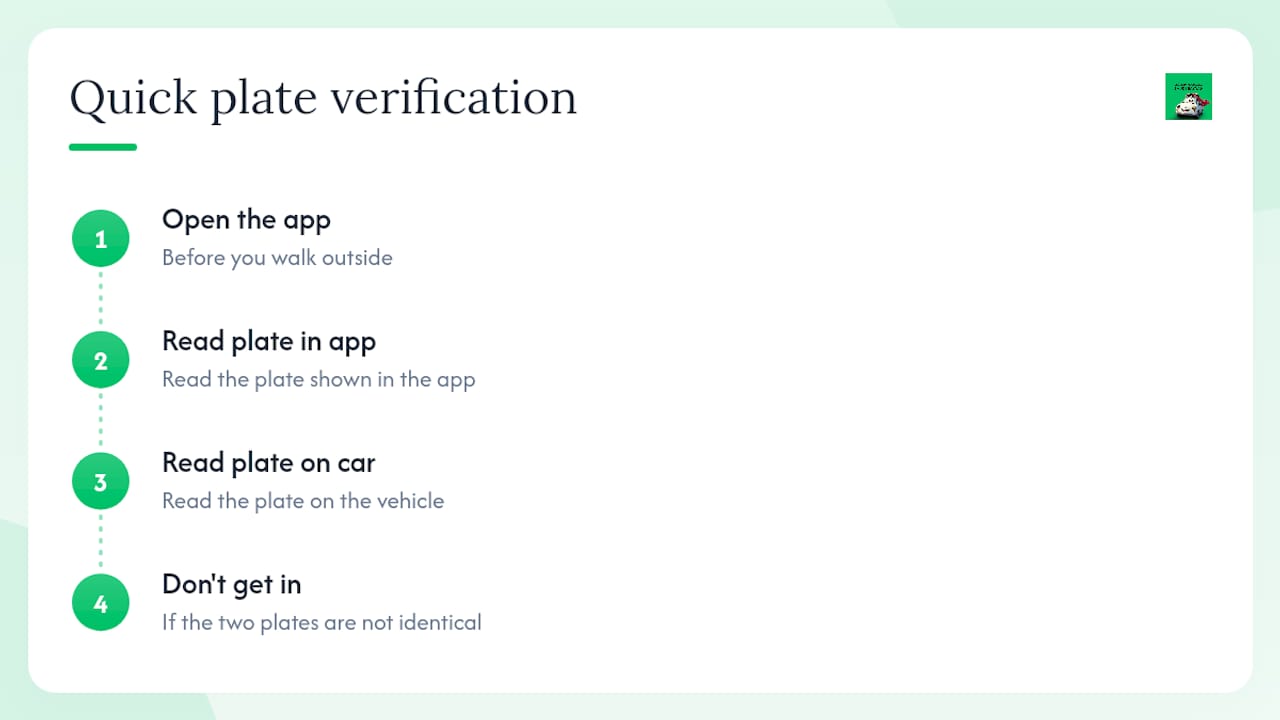
Operators like Saudisayyah build the full verification flow, including driver photos, vehicle details, and live tracking, into every booking. But the technology only works if passengers use it. Open the app before you walk outside. Read the plate in the app. Read the plate on the car. Those two numbers should be identical. If they are not, the system is working exactly as designed: it just told you not to get in.
The digital concierge model for pilgrim transport exists precisely because first-time visitors to Saudi Arabia are navigating an unfamiliar environment, often jet-lagged, sometimes alone. A five-second plate check is a small habit with a large safety return.