

TL;DR:
- Verifying Umrah vehicle details through official Saudi platforms ensures permit validity, vehicle registration, and driver authorization before travel.
- Pilgrims should register on Nusuk at least two days prior, cross-check data on Absher, and save verification screenshots to prevent checkpoint issues.
Verifying Umrah vehicle details means confirming that your transport permit, vehicle registration, and driver authorization are all correctly linked through Saudi Arabia's official digital systems before you travel. The two primary platforms for this process are the Nusuk app and the Absher portal, both operated by the Saudi government. Pilgrims who skip this step risk denied entry at checkpoints, where permit and vehicle data are scanned electronically in real time. This guide covers the exact steps to check umrah vehicle status, troubleshoot common problems, and confirm your transport is fully compliant before you arrive.
How to verify Umrah vehicle details using official platforms
Umrah transport verification starts with the right tools. Two platforms handle the bulk of official permit and vehicle checks: the Nusuk app and the Absher portal. Both are operated by Saudi government agencies, and both use live data to confirm permit validity.
What you need before you start:
- Your passport number and personal details (used during Nusuk registration)
- The vehicle license plate number of your assigned transport
- Vehicle type (sedan, SUV, van, etc.)
- Driver name and authorization reference
- Your Umrah permit number or booking reference
The Nusuk app registration requires personal and passport details verified against Saudi government systems, with confirmation taking up to 24 hours. This means you should register at least two days before you need to run any vehicle checks. Absher complements Nusuk by allowing cross-checks on vehicle registration status and driver licensing within the Saudi system.
Official Saudi government websites always end in .sa. Any site offering "permit verification" that does not carry this domain should be treated with caution. The Saudi Ministry of Hajj and Umrah states that Nusuk is the single source of truth for permit and vehicle details. Verbal confirmations or screenshots from travel agents do not replace a live check through the app.
Pro Tip: Download the Nusuk app and complete identity verification at least 48 hours before your departure date. Verification delays are common during peak Umrah seasons, and a pending account blocks all permit checks.
Step-by-step guide to checking your vehicle permit status
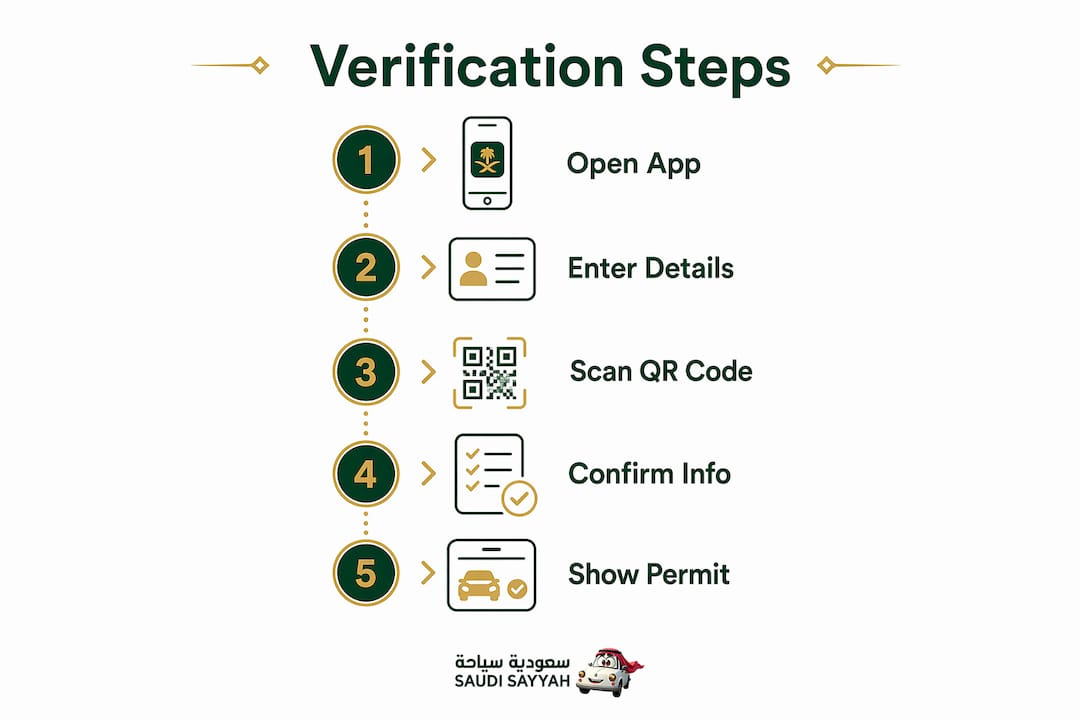
The steps below walk through the full umrah vehicle details check process from login to confirmation. Follow them in order to avoid missing a critical data point.
- Open the Nusuk app and log in using your registered email and password. If you have not registered, create an account and complete identity verification first.
- Navigate to "My Bookings" or the permit section within the app. Your active Umrah permit should appear here with its current status.
- Locate the transport or vehicle section within your permit record. This displays the linked vehicle license plate, vehicle type, and assigned driver details.
- Verify the license plate matches the plate on the vehicle your transport provider has assigned to you. A single digit mismatch is enough to cause a checkpoint rejection.
- Check the QR code on your digital permit. The Nusuk app generates a QR code linked to your vehicle plate and permit data. Tap the QR code to confirm it is active and not expired.
- Cross-check on Absher by entering the vehicle plate number in the relevant vehicle inquiry section. This confirms the vehicle's registration is current and the driver holds a valid license.
- Save a screenshot of the permit confirmation page, including the QR code and vehicle details. Store it in your phone's photo gallery and, if possible, print a paper copy.
Pro Tip: If the QR code does not scan at a checkpoint due to poor lighting or connectivity, showing a screenshot or quoting the permit confirmation number allows manual verification by checkpoint staff.
The table below summarizes what each platform checks and what information it displays.
| Platform | What it verifies | Information displayed |
|---|---|---|
| Nusuk app | Permit validity, vehicle plate, QR code | Permit status, linked plate, driver name, QR code |
| Absher portal | Vehicle registration, driver license | Registration expiry, license validity, owner details |
| Ministry of Hajj site | Booking and permit status | Permit number, pilgrim name, booking reference |
Digital permits linked to vehicle plates and mobile GPS tracking reduce confusion and improve the pilgrim experience at every checkpoint. Saving both a digital and printed copy of this data covers you if your phone battery dies or connectivity drops in Makkah.
Common issues when verifying Umrah vehicle details
Most verification problems fall into a small number of categories. Knowing them in advance saves time at the worst possible moment.
QR code not scanning. This is the most reported issue at checkpoints. Causes include low screen brightness, a cracked screen, or poor mobile data. Increase screen brightness to maximum before presenting the code. If it still fails, checkpoint staff accept a manual permit number as a backup.
Account verification delays on Nusuk. Identity checks can take up to 24 hours and occasionally longer during high-traffic periods like Ramadan. If your account is stuck in "pending" status, contact Nusuk support directly through the app's help section. Do not wait until the day before travel to resolve this.
Plate number mismatch. Failure to align vehicle plate numbers with permits or driver details causes denied entry at checkpoints with no exceptions. If the plate on your permit does not match the vehicle your provider sends, contact your transport provider immediately and request a permit amendment before departure.
Missing driver information. Some permits show incomplete driver records if the transport provider did not complete their side of the registration. Transport providers must share vehicle type, license plate, and driver details transparently. If any field is blank, ask your provider to update the permit record through their operator account.
Agent-provided screenshots as "proof." This is not verification. The Saudi Ministry of Hajj and Umrah is explicit: independent verification through official apps is the only reliable method. An agent's screenshot may be outdated, edited, or simply wrong.
Verifying vehicle details is not just checking a plate. It means confirming the permit, driver, and authorization are all properly linked digitally before you reach any checkpoint.
If you cannot resolve a mismatch or missing data through the app, contact your travel agency and request written confirmation of the corrected permit record. Keep that correspondence on your phone.
Tips for safe and verified Umrah transport
Selecting a transport provider and confirming your vehicle details are two separate tasks. Both matter equally.
Before booking transport:
- Confirm the provider is licensed and registered within the Saudi transport system
- Ask for the vehicle license plate, vehicle type, and driver name in writing before your trip date
- Check that the provider uses pre-arranged transport with verified details rather than ad-hoc assignments
Documents to carry at all times:
- Printed or digital copy of your Nusuk permit with QR code
- Vehicle registration details (plate and type)
- Driver's name and contact number
- Your passport and Umrah visa
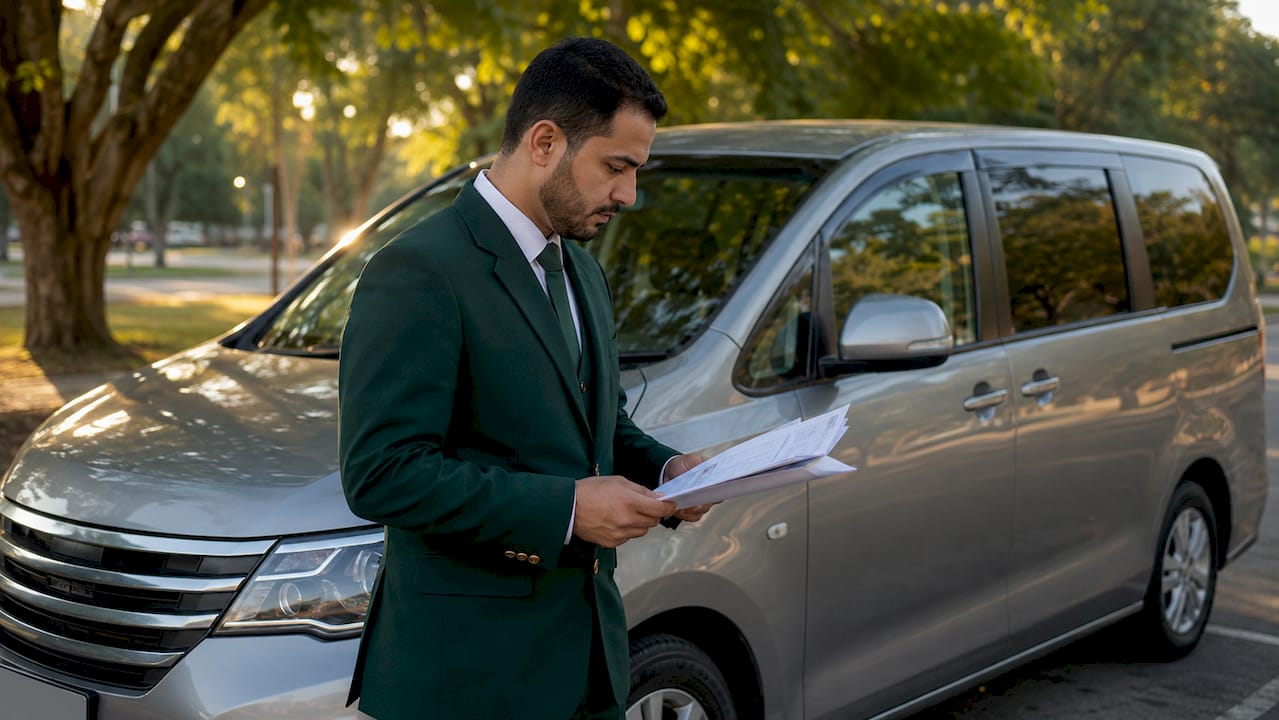
Drivers must carry the original vehicle registration, valid GCC insurance, and a No Objection Certificate for financed vehicles at Saudi borders. As a passenger, you are not responsible for these documents, but confirming your provider has them avoids delays at border crossings.
Technology adds a practical layer of safety. Providers that send driver photos, vehicle details, and live GPS tracking before each trip give you independent confirmation that the vehicle arriving matches your permit data. This is the same principle behind vehicle safety and compliance checks that reputable operators perform before every journey.
| Verification method | Reliability | Speed |
|---|---|---|
| Nusuk app live check | High | Instant |
| Absher portal cross-check | High | Instant |
| Agent screenshot | Low | Instant but unreliable |
| Verbal confirmation | Very low | Immediate but unverifiable |
The comparison above makes the choice clear. Live digital checks through official platforms are faster and more reliable than any manual or agent-based alternative.
Key takeaways
Verifying Umrah vehicle details requires confirming permit validity, vehicle plate, and driver authorization through the Nusuk app and Absher portal before departure.
| Point | Details |
|---|---|
| Use official platforms only | Nusuk and Absher are the only reliable sources for permit and vehicle verification. |
| Register on Nusuk early | Account verification takes up to 24 hours; register at least 48 hours before travel. |
| Match plate to permit exactly | A single digit mismatch on the license plate causes checkpoint rejection with no exceptions. |
| Save digital and printed backup | Screenshots and printed permits cover connectivity failures or low battery at checkpoints. |
| Confirm driver details in writing | Request vehicle plate, type, and driver name from your provider before your departure date. |
Why verification matters more than most pilgrims expect
Most pilgrims I speak with assume their travel agency has handled everything. That assumption is the single most common cause of checkpoint problems. Agencies book permits, but they do not always update vehicle assignments in real time. By the time a plate change or driver substitution reaches the system, you may already be at the checkpoint.
The Nusuk app puts the verification in your hands. Checking your own permit status takes under three minutes, and it is the only way to know with certainty that your vehicle plate, driver, and permit are all aligned. I have seen pilgrims turned away at checkpoints because a provider switched vehicles at the last minute and never updated the permit record. A two-minute check the morning of departure would have caught that.
The backup habit matters too. Saving a screenshot of your permit confirmation is not paranoia. Mobile data in Makkah during peak periods can be unreliable, and a dead phone at a checkpoint creates a problem that a printed page solves instantly. Carry both.
The broader point is this: why vehicle details matter goes beyond compliance. It is about removing uncertainty from a trip that already carries significant logistical complexity. Every confirmed detail is one fewer variable that can go wrong.
— Fa
Travel with verified transport through Saudisayyah
Saudisayyah handles vehicle verification as part of every booking. Before each trip, the platform sends driver photos, vehicle details, and real-time GPS tracking directly to your phone. Every vehicle in the Saudisayyah fleet carries current registration and full compliance documentation. There is no need to chase your provider for plate numbers or driver names. The information arrives automatically, matched to your permit data. For pilgrims making their first visit to the holy lands, that level of transparency removes the guesswork entirely. Explore Saudisayyah's transport services and book verified, compliant Umrah transport before your 2026 trip.
FAQ
How do I verify Umrah vehicle details before my trip?
Log in to the Nusuk app, open your active permit, and confirm the linked vehicle plate, vehicle type, and driver details match what your transport provider has assigned. Cross-check the vehicle registration on the Absher portal for additional confirmation.
What happens if my vehicle plate does not match my permit?
Checkpoint staff will deny entry with no exceptions if the plate on your permit does not match the physical vehicle. Contact your transport provider immediately to correct the permit record before departure.
Can I use my travel agent's screenshot as proof of verification?
No. The Saudi Ministry of Hajj and Umrah states that Nusuk is the only reliable source for permit and vehicle details. Agent screenshots may be outdated or inaccurate and are not accepted as official verification.
What should I do if the QR code on my permit does not scan?
Increase screen brightness and try again. If scanning still fails, present the permit confirmation number to checkpoint staff for manual verification. Saving a screenshot of the permit page before travel provides a reliable backup.
What documents does my driver need to carry?
Drivers must carry the original vehicle registration, valid GCC insurance, and a No Objection Certificate for any financed vehicle. Confirming your provider holds these documents before departure prevents delays at border crossings and checkpoints.