

Language accessibility means making information understandable and usable for people regardless of the language they speak, read, or process best, including people who use sign language, plain language, or assistive technology to access content. The World Wide Web Consortium (W3C) anchors the digital side of this with the Web Content Accessibility Guidelines (WCAG), which require every web page to programmatically declare its primary language.
If you take one action today, make it this: add a lang attribute to your website's HTML, request human review for any translated legal or medical content, and add captions to every video you publish.
Three quick facts define the scope of the term:
- WCAG Success Criterion 3.1.1 requires the primary language of a page to be identified in code, and SC 3.1.2 requires the same for any passage written in a different language.
- Language accessibility covers translation, interpretation, plain language, captioning, transcripts, sign language, and easy-read formats. It is not just translation.
- The Oxford Review frames it as a diversity, equity, and inclusion issue that intersects with disability, immigration status, and education.
Pro Tip: Run your homepage through a free screen reader test this week. If the language switches mid-sentence and the reader doesn't hear a pronunciation change, your lang attributes are missing or wrong.
Key Takeaways
Language accessibility means making content and services usable across languages and formats, and it requires WCAG-compliant code, human review for critical translations, and captions for video by default.
| Point | Details |
|---|---|
| Definition | Language accessibility covers translation, interpretation, plain language, captions, and sign language, not just translation alone. |
| Fix the code first | Add correct lang attributes to your HTML per WCAG SC 3.1.1 and 3.1.2 before investing in translation. |
| Reserve humans for high stakes | Require human review or translation for legal, medical, and safety-critical content. |
| Caption everything public | Professional captions and transcripts should be a default step in video production, not an afterthought. |
| Track real metrics | Monitor languages supported, lang-attribute coverage, and caption coverage to measure progress over time. |
For organizations moving people through unfamiliar environments, this isn't abstract. Saudisayyah's booking and communication platform sends driver details, vehicle information, and trip updates designed to keep first-time visitors informed without assuming fluency in a language that isn't their own, and the fleet itself supports the kind of clear, real-time updates that reduce the guesswork a language barrier usually creates.
Table of Contents
- Why Language Accessibility Matters and Who Benefits
- Where Language Accessibility Shows Up in Daily Life
- The Main Approaches: Translation, Interpretation, and Plain Language
- What WCAG Requires for Digital Language Accessibility
- A Step-by-Step Checklist for Organizations
- Mistakes That Undermine Language Accessibility
- Standards and Tools Worth Bookmarking
- Language Access as a Cultural Commitment, Not a Checkbox
- Frequently Asked Questions
- Sources
Why Language Accessibility Matters and Who Benefits
Language accessibility reduces friction between a person and the information they need. That friction shows up as legal risk, lost customers, and, in high-stakes settings like healthcare or transportation, actual safety problems.
The business case is straightforward. People who can't understand your content leave, complain, or make decisions based on partial information. UserWay points out that building language accessibility in from the start avoids costly retrofits later, since fixing a mistranslated safety notice after publication costs far more than getting it right the first time.
Several groups depend on this work more than others:
- People with limited proficiency in the dominant language of a website, form, or service.
- People with disabilities who rely on screen readers, which require accurate language tags to switch pronunciation correctly.
- Non-native readers who benefit from plain language even when they're technically fluent.
- Older adults navigating unfamiliar digital interfaces or medical paperwork.
- People in noisy environments, low-connectivity areas, or anywhere captions substitute for audio.
WebAIM's technical guidance notes that screen readers sometimes announce a language by name instead of pronouncing the text, when the language isn't tagged or supported. A blind user hears "French" spoken in a robotic accent instead of the actual French sentence. That single failure illustrates why this is a functional requirement, not a nice extra.
Where Language Accessibility Shows Up in Daily Life
Language accessibility isn't confined to translated brochures. It touches nearly every point of contact between an organization and the people it serves.
Websites and apps. A multilingual toggle only works if the underlying code updates the lang attribute along with the visible text. Product pages, checkout flows, and error messages all need the same treatment, not just the homepage.
Public services. Government forms, transit signage, and emergency alerts need plain language and, often, translations into the top languages spoken locally. A confusing tax form in a resident's second language leads to missed deadlines and penalties that have nothing to do with tax literacy.
Healthcare. Discharge instructions, consent forms, and prescription labels carry real consequences when misunderstood. Hospitals that pair professional interpretation with plain-language summaries reduce medication errors tied to comprehension gaps.
Customer service. Chat scripts, phone trees, and support tickets need routing logic that gets a non-native speaker to a capable agent quickly, rather than looping them through menus in a language they don't fully follow.
Video and streaming. Captions, subtitles, and transcripts serve deaf and hard-of-hearing viewers, non-native speakers building vocabulary, and anyone watching without sound on a train or in an office.
Events and conferences. Live interpretation, captioned livestreams, and printed programs in multiple languages let attendees participate fully instead of guessing at context.
Signage and wayfinding. Airports and transit hubs that combine icons, plain language, and multiple scripts help travelers navigate without asking for help at every turn. This is a category where Saudisayyah's own operations intersect directly: pilgrims arriving for the first time need clear signage and driver communication that doesn't assume fluency in Arabic or English, which is one reason accessible transport features matter as much as the vehicle itself.

Forms and internal tools. Intake forms, CRM systems, and reservation platforms need fields that capture a customer's preferred language so staff don't repeat the same clarifying questions on every interaction.
The strongest examples combine several tactics at once. A captioned training video with a plain-language transcript and a sign-language interpreter insert covers three access needs in a single asset, rather than treating each as a separate project.
The Main Approaches: Translation, Interpretation, and Plain Language
Language accessibility isn't a single technique. It's a set of tools, and picking the right one depends on stakes, speed, and budget.
Human translation remains the standard for legal contracts, medical instructions, and anything where a mistranslation creates liability. It's slower and costs more per word than automated options, but it catches idiom, tone, and legal nuance that machines miss.
Machine translation with human post-editing splits the difference. A tool generates a draft, then a bilingual editor corrects errors and adjusts tone. This works well for high-volume content like product descriptions, where perfect prose matters less than accurate meaning.
Live interpretation covers real-time spoken exchanges: medical appointments, legal proceedings, customer service calls. Remote interpretation platforms have made this available on demand rather than requiring an interpreter to be physically present.
Plain-language editing rewrites dense or jargon-heavy text into shorter sentences and common vocabulary, without changing the language itself. It helps native speakers with lower literacy just as much as non-native readers.
Captions and subtitles display spoken words as on-screen text, either in the same language (captions, which also note sound effects) or a different one (subtitles).
Transcripts give a full text record of audio or video content, useful for scanning, searching, and offline reading.
Sign-language interpretation, delivered live or as a video overlay, serves deaf viewers who may not read captions at the same speed as hearing viewers process audio.
Easy-read formats combine short sentences, simple vocabulary, and supporting images, originally developed for people with cognitive disabilities but useful for anyone processing unfamiliar information under stress.
Pro Tip: Mix human and AI workflows deliberately instead of picking one. Use machine translation to draft high-volume, low-risk content, then reserve human translators for anything touching safety, legal terms, or your brand's public voice. AI-powered live translation has made interpretation more accessible technically, but the judgment calls about what needs a human still fall on your team.
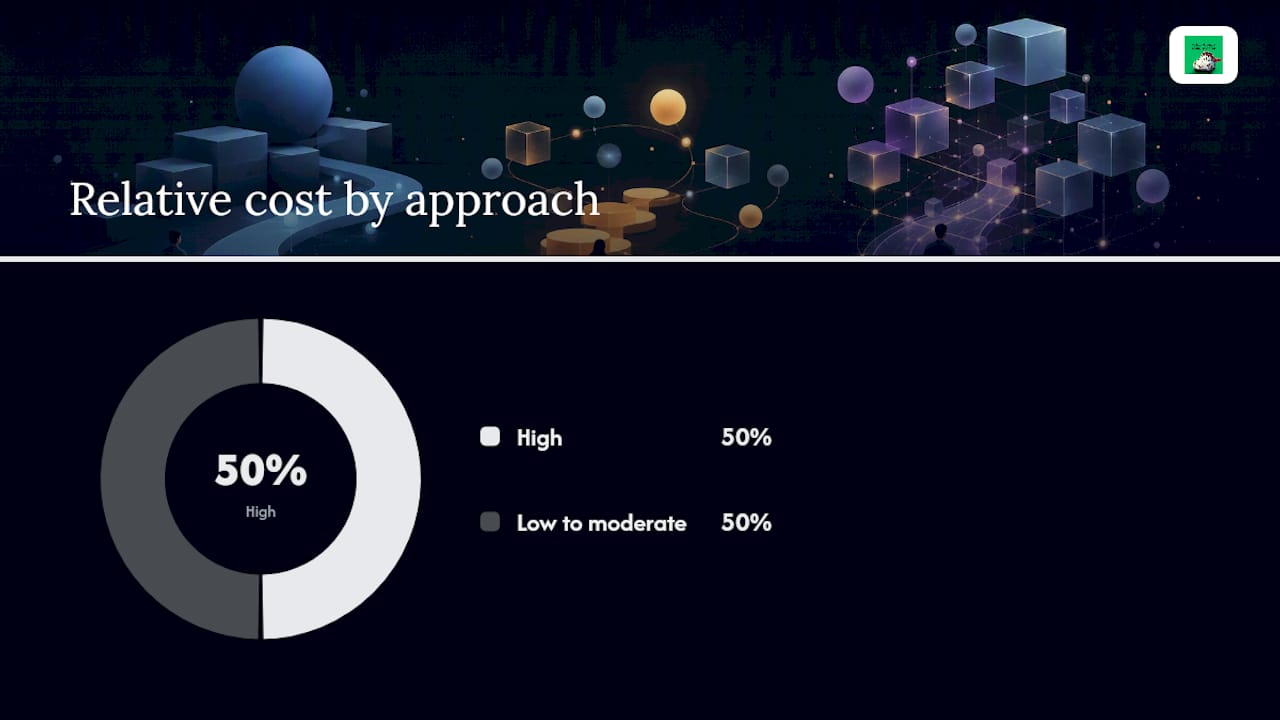
| Approach | Best for | Speed | Relative cost |
|---|---|---|---|
| Human translation | Legal, medical, brand-critical text | Slow | High |
| Machine translation + post-edit | High-volume, low-risk content | Fast | Low to moderate |
| Live interpretation | Real-time spoken exchanges | Real-time | High |
| Plain-language editing | Any dense or technical text | Moderate | Low to moderate |
| Captions/subtitles | Video and audio content | Moderate | Low to moderate |
| Sign-language interpretation | Live or recorded video for deaf viewers | Real-time to moderate | High |
What WCAG Requires for Digital Language Accessibility
Two WCAG success criteria govern language on the web, and both matter more than most content teams realize.
SC 3.1.1 (Language of Page) requires every page to declare its primary language in code, typically by setting lang="en" on the <html> element. SC 3.1.2 (Language of Parts), a Level AA requirement, applies when a passage within the page uses a different language: a French quote inside an English article, for instance, needs its own lang attribute on the surrounding tag.
This isn't a cosmetic detail. W3C's guidance explains that screen readers use these tags to load the correct pronunciation rules, switch voice profiles, and render characters properly. Skip the tag, and a screen reader may read French text with English pronunciation rules, turning a quote into gibberish for a blind user.
| WCAG criterion | What it requires | Developer check |
|---|---|---|
| SC 3.1.1 (Level A) | Page's primary language set in code | Confirm lang attribute exists on the <html> element and matches actual content |
| SC 3.1.2 (Level AA) | Language of parts identified when they differ from the page language | Search for foreign-language phrases, quotes, or names and confirm each has its own lang tag |
A short testing checklist catches most failures before they reach users:
- Load the page with a screen reader (NVDA, JAWS, or VoiceOver) and confirm it announces the correct language.
- Check that any translated version of the page updates its
langattribute, not just its visible text. - Play video content with captions on and confirm timing matches speech, including for language switches mid-video.
- Test forms and error messages in every supported language, not just the default one.
Pro Tip: If your site offers a language toggle, test what happens when a screen reader user switches languages mid-session. A surprising number of sites update the visible text but leave the old lang attribute in place, which breaks pronunciation for every screen reader user who switches.
A Step-by-Step Checklist for Organizations
Turning language accessibility from an idea into a functioning practice takes four phases.
- Audit. Identify your highest-traffic pages, the languages your users actually speak (pull this from analytics or support tickets), and the user journeys where a language barrier would cause the most damage, such as checkout, booking, or safety instructions.
- Prioritize. Rank languages by user volume, business impact, and legal exposure. A page visited by thousands of Spanish-speaking users each month outranks a rarely visited page with three languages already supported.
- Embed. Add
langattribute fields to your content templates so every new page ships correctly tagged. Require captions and transcripts as a default step in video production, not an afterthought. Set service-level agreements with translation or interpretation vendors so critical content gets human review within a defined turnaround window. - Measure. Track the number of languages actively supported, the percentage of high-traffic pages with correct
langattributes, caption coverage across video assets, and satisfaction signals specifically from non-native speakers, such as support ticket resolution time or repeat-contact rates.
Phrase's guidance on localization makes a point worth repeating here: accessibility works better as an input to your content workflow than as an output bolted on afterward. Building the lang field into your CMS template once saves someone from manually fixing two hundred pages later.
Mistakes That Undermine Language Accessibility
Most language accessibility failures trace back to a handful of repeatable mistakes.
- Relying only on raw machine translation for critical content. A machine-translated liability waiver or medical consent form can carry a subtly wrong meaning that a human reviewer would catch in seconds. Require human review for anything legal, medical, or safety-related.
- Missing
langattributes entirely. Many sites never set the attribute at all, which fails SC 3.1.1 outright and breaks screen reader pronunciation site-wide. Fix it once at the template level. - Failing to mark language changes within a page. A page in English with an embedded Arabic phrase needs that phrase tagged separately, per SC 3.1.2. Skipping this creates the same mispronunciation problem on a smaller scale.
- Poor caption quality. Auto-generated captions frequently mangle names, numbers, and technical terms. Use professional captioning for anything customer-facing or safety-related, and reserve auto-captions for low-stakes internal content.
- Ignoring cultural localization. A literal translation can be grammatically correct and still confusing or offensive if it ignores local idiom, formality norms, or context. Genuine localization adjusts terminology and tone, not just vocabulary.
Regulatory frameworks like the Americans with Disabilities Act (ADA) in the United States and the European Accessibility Act (EAA) provide the legal backdrop for much of this work, though specific obligations vary by jurisdiction and sector. Treat these as context for why the practice matters, not as a substitute for legal advice tailored to your situation.
Communication breakdowns compound quickly across a multi-step service, which is one reason clear guidance on communicating across language barriers matters as much for frontline staff as for the content team.
Standards and Tools Worth Bookmarking
A short list of resources covers most of what a content or web team needs to keep learning.
- WCAG language success criteria — the definitive technical standard for how language identification should work on the web.
- WebAIM's language technique guide — practical, code-level examples of how screen readers handle language tags.
- Captioning engines — services that generate and edit captions for video content, ranging from automated transcription with human cleanup to fully professional captioning.
- Remote interpretation platforms — on-demand services connecting live interpreters to phone or video calls for real-time language support.
- Localization platforms — systems that manage translation workflows, terminology consistency, and version control across multiple languages at once.
- Accessibility testing tools — automated scanners that flag missing
langattributes and other technical gaps, though manual screen reader testing remains necessary to catch what automation misses.
Standards evolve. WCAG itself has moved through multiple versions, and staying current means checking W3C's guidance pages periodically rather than treating a single audit as permanent proof of compliance.
Language Access as a Cultural Commitment, Not a Checkbox
Compliance gets you a passing grade. It doesn't get you a traveler who trusts your driver, a patient who follows their discharge instructions correctly, or a customer who comes back after a confusing first experience. The gap between "technically accessible" and "actually understood" is where most organizations quietly fail, and it's rarely a technology problem anymore. AI-powered translation and interpretation have gotten good enough that the remaining barrier is almost always leadership: whether someone with authority decided this mattered enough to fund properly. Organizations that treat language access as core to service quality, rather than a legal minimum to clear, tend to see it show up in retention and word-of-mouth trust, the kind that a first-time visitor mentions to the next person making the same trip.
Frequently Asked Questions
What is language accessibility, in one sentence? Language accessibility means making information, services, and digital content understandable and usable for people regardless of the language they speak, read, or process best, using tools like translation, plain language, captions, and sign language.
What does language accessibility mean for a website specifically?
On the web, it means every page programmatically declares its language via the lang attribute (WCAG SC 3.1.1), and any passage in a different language gets its own tag (SC 3.1.2), so screen readers and browsers render content correctly.
How do I improve language accessibility on a tight budget?
Start with the free fixes: add correct lang attributes to your site, write in plain language, and use free or low-cost auto-captioning tools for internal video, reserving paid human translation and professional captioning for public, high-stakes content.
What are the most common language accessibility standards? The WCAG language success criteria (3.1.1 and 3.1.2) are the core web standards, while broader legal frameworks like the ADA and the European Accessibility Act shape obligations depending on jurisdiction and sector.
Does language accessibility only apply to people who don't speak the dominant language? No. It also serves people with disabilities using assistive technology, older adults, people with lower literacy, and anyone in a noisy or low-connectivity setting who relies on captions or plain text instead of audio.
Sources
- Understanding Success Criterion 3.1.1: Language of Page | WAI | W3C
- Techniques for accessibility: Identifying the language of text | WebAIM
- Why language accessibility should be on your company's radar — KUDO