
TL;DR:
- Pilgrims can now book authorized hotel-to-Masjid al-Haram transport electronically through official platforms, avoiding physical visits. The process links permits, hotel pickup, and vehicle options, ensuring timely arrivals and fewer errors. Using approved apps like Nusuk, Tanaqul, and Al Haramain ensures permit-linked, real-time coordinated transport bookings.
The pilgrim transport booking workflow is the step-by-step process Umrah pilgrims use to arrange authorized transport from their hotels to Masjid al-Haram, using official digital platforms integrated directly with their Umrah permits. Pilgrims can now book hotel-to-Grand Mosque transport electronically, with no physical visit to any office required. The process covers shuttle services, golf carts, and airport transfers, all managed through platforms like the Nusuk app and the Tanaqul app. Getting this workflow right means arriving at the right time, with the right vehicle, without last-minute confusion.
What is the pilgrim transport booking workflow?
The pilgrim transport booking workflow is the official, permit-linked process for reserving authorized transport during Umrah. It connects your hotel pickup, your chosen service type, and your Umrah permit schedule into one coordinated system. The Nusuk platform serves as a one-stop management tool for visa, accommodation, permit, and transport services, all linked under a single interface. That level of integration means a change to your Umrah slot can flow directly into your transport schedule without requiring a separate rebooking process.
Pilgrims who rely on official platforms experience greater convenience and safety than those who use informal transport arrangements. The workflow removes guesswork from timing and replaces it with confirmed QR tickets, real-time updates, and permit-aligned pickup windows.
What are the official platforms for booking pilgrim transport?
Three platforms handle the core transport booking process for Umrah pilgrims in 2026.
- Al Haramain portal: The official booking portal at carts.alharamain.gov.sa handles direct transport reservations from participating hotels to Masjid al-Haram. All processing is done online.
- Nusuk app: Nusuk manages your Umrah permit and links directly to transport booking. When you reschedule a permit slot, your transport pickup time updates within the same system.
- Tanaqul app: Tanaqul handles golf cart reservations specifically. It requires your passport details and active visa information before confirming a booking.
Payment across all three platforms is fully digital. Supported payment methods include Apple Pay, STC Pay, and major credit cards. Digital payment speeds up ticket issuance and eliminates the need for cash at pickup points.
Pro Tip: Download and register on both the Nusuk app and the Tanaqul app before you travel. Setup takes time, and doing it from home avoids delays once you arrive in Makkah.
How to book hotel-to-Grand Mosque transport: step by step
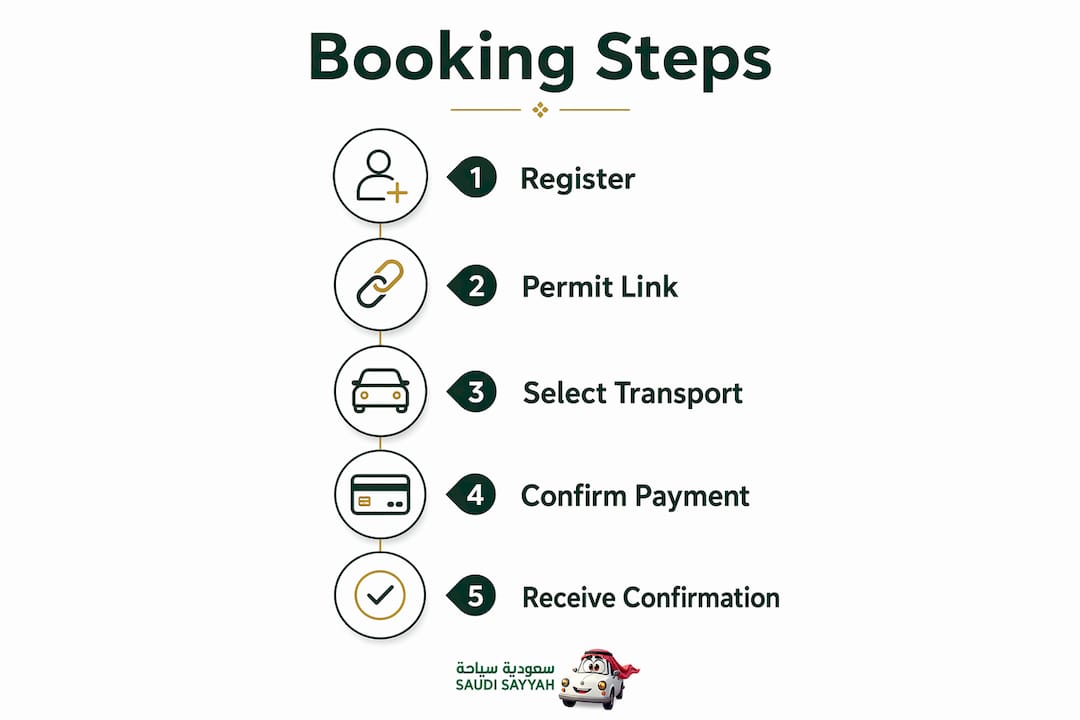
The hotel-to-Haram booking workflow follows a clear sequence. Each step builds on the previous one, so completing them in order prevents errors.
- Log in to the Al Haramain portal or Nusuk app. Use your registered credentials. First-time users must create an account and verify their identity with passport details.
- Select your service type. Options include Tawaf only, Sa'i only, or a full Umrah package covering both rituals. Choose based on your permit schedule.
- Enter your hotel and pickup location. The system lists participating hotels. Select yours and confirm the pickup point, which is typically the hotel lobby or a designated transport bay.
- Choose your pickup time. This must align with your Umrah permit slot. The system cross-references your permit automatically.
- Complete electronic payment. Pay via Apple Pay, STC Pay, or credit card. The system generates a QR code ticket immediately after payment clears.
- Save your QR ticket. Screenshot it or save it to your phone's wallet. You will present it at the pickup point to board your assigned vehicle.
- Add return transport if needed. The booking system offers return trips from Masjid al-Haram back to your hotel. Book this at the same time to avoid availability issues later.
Professional escort options are also available for pilgrims who need guided assistance through the rituals. These are selected during the service type step and added to the same booking.
Pro Tip: Book your return transport at the same time as your outbound trip. Return slots fill quickly during peak hours, especially after Fajr and Isha prayers.
How to book golf carts and airport transfers
Golf carts and airport transfers each have their own booking process. The table below shows the key differences at a glance.
| Feature | Golf cart (Tanaqul app) | Airport transfer |
|---|---|---|
| Booking platform | Tanaqul app | Airport transfer provider or Nusuk |
| Documents required | Passport, active visa | Flight details, hotel address |
| Payment method | Digital (in-app) | Digital (online) |
| Confirmation format | QR code ticket | Booking reference + driver details |
| Advance booking advised | 24 hours minimum | 24–48 hours minimum |
| Cancellation window | Varies by provider | Typically 24 hours free |
Golf cart booking via Tanaqul
Golf cart bookings require passport details and an active visa before the app allows you to proceed. Pricing runs approximately 115 SAR for a single-seat cart and 230 SAR for a larger cart. Booking at least 24 hours in advance is strongly advised during peak periods like Ramadan or Fridays. After payment, the app issues a QR code that you present at the designated golf cart pickup zone near Masjid al-Haram.
Synchronization between your visa validation, selected time slot, and digital payment is required to secure a cart. If any of those three elements is missing or expired, the booking will not complete.
Airport transfer booking
Airport transfer bookings require your pickup location, destination, travel date and time, and passenger count. After booking, you receive two confirmation emails. The first arrives immediately with your booking reference. The second arrives 12–24 hours before pickup and includes your driver's name, phone number, vehicle type, and license plate. That second email is the one to save and share with your travel group.
Drivers track flight delays and adjust pickup timing accordingly. That adjustment happens automatically, so you do not need to call ahead if your flight lands late.
- Confirm your hotel address is entered exactly as it appears on your booking confirmation.
- Save the driver's phone number from the second confirmation email before you land.
- Check the Umrah airport transfer guide for a full breakdown of what to expect on arrival day.
Pro Tip: Screenshot both confirmation emails and store them offline. Airport Wi-Fi in Jeddah and Madinah can be unreliable during peak Umrah season.
How does transport booking integrate with Umrah permit scheduling?
Transport bookings link directly to your Umrah permit slot through the Nusuk app. When your permit shows a specific time window for Tawaf or Sa'i, your transport pickup time must match that window. The system enforces this alignment automatically during the booking step.
The critical rule is this: if you reschedule your Umrah permit slot, you must revisit your transport booking immediately. Updating your pickup time after a permit change carries no extra fees, but only if you update it through the same platform where you originally booked. Failing to update the transport booking after a permit change is the most common cause of missed rides.
Pilgrims who treat their transport booking as a living document, not a one-time task, avoid the majority of timing conflicts during Umrah. Every permit change should trigger an immediate check of all linked transport reservations.
For group bookings, Nusuk allows multiple pilgrims to be coordinated under a single permit group. Each member's transport slot can be aligned to the same pickup time, which simplifies logistics for families and organized tour groups. The online pilgrimage booking guide covers the group coordination process in detail.
Avoiding booking conflicts also means checking for overlapping service types. Booking a Tawaf-only service and a full Umrah package for the same time slot will create a conflict the system may not catch automatically. Review your cart before payment to confirm no duplicates exist.
Key takeaways
A well-executed pilgrim transport booking workflow depends on three things: using official platforms, linking every booking to your active Umrah permit, and updating transport details immediately after any schedule change.
| Point | Details |
|---|---|
| Use official platforms only | Book via Al Haramain portal, Nusuk app, or Tanaqul app for verified, permit-linked transport. |
| Match transport to permit timing | Your pickup time must align with your Umrah slot; mismatches cause missed rides. |
| Update bookings after rescheduling | Changing your Umrah permit slot requires an immediate transport update to avoid extra fees. |
| Book golf carts 24 hours early | Tanaqul app slots fill fast during Ramadan and Fridays; advance booking is the only reliable option. |
| Save both transfer confirmation emails | The second email with driver details arrives 12–24 hours before pickup and is the one you need on arrival day. |
What I have learned from watching pilgrims navigate this system
Most pilgrims treat the transport booking as a one-time task they complete before departure and then forget. That approach works fine until something changes, and something almost always changes. A delayed flight, a rescheduled permit slot, a hotel room that turns out to be in a different wing than expected. The pilgrims who arrive at the Grand Mosque on time are the ones who check their bookings again the night before, not just the week before.
The second thing I have noticed is that pilgrims underestimate how much the Tanaqul app requires upfront. Passport details, active visa, correct time slot, digital payment, all of it must be in place before the app issues a QR code. Showing up at the golf cart zone without a confirmed QR ticket means joining a long standby line, often during the hottest part of the day.
The third observation is about airport transfers specifically. The two-email confirmation system is genuinely well-designed, but only if you read both emails. Pilgrims who save the first email and ignore the second one arrive at the airport without their driver's phone number. That single oversight causes more arrival-day stress than any other factor I have seen.
My recommendation is straightforward. Use official platforms, book early, and treat every permit change as a trigger to review all linked transport reservations. The pre-arranged Umrah transport guide covers the safety and reliability case for this approach in more depth.
— Fa
Saudisayyah transport services for Umrah pilgrims
Saudisayyah offers a fully automated booking system built specifically for pilgrims traveling to Makkah and Madinah. Every booking includes driver photos, vehicle details, and real-time tracking sent directly to your phone before pickup.
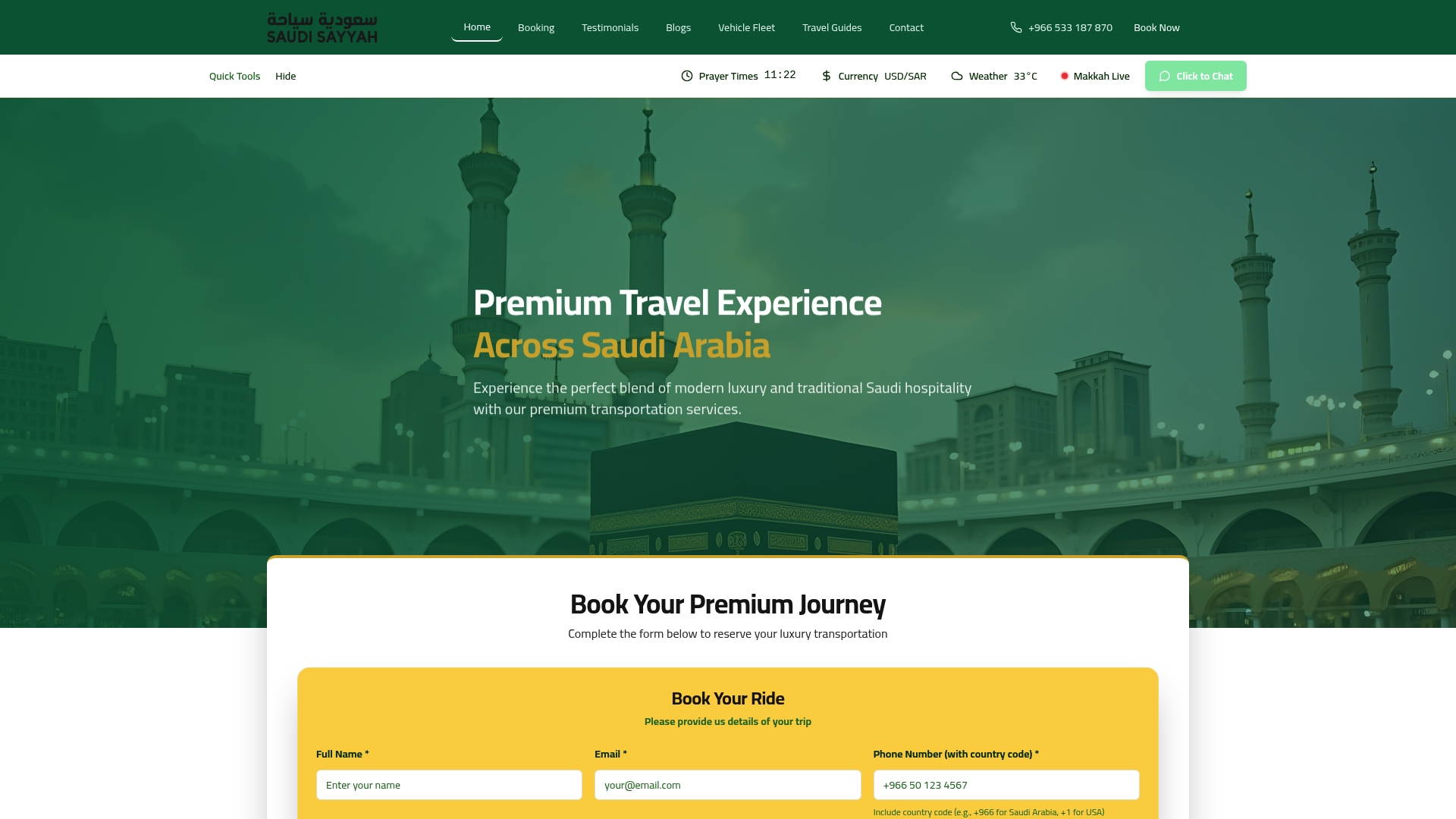
The Saudisayyah fleet covers airport transfers, city transport, and intercity routes between the holy cities. Drivers have extensive experience with Umrah schedules and the specific timing demands of permit-linked itineraries. For pilgrims making this trip for the first time, that local knowledge removes a significant layer of uncertainty. Browse the full range of Saudisayyah car hire services or review the premium fleet options to find the right vehicle for your group size and route.
FAQ
What is the official portal for hotel-to-Haram transport booking?
The official portal is carts.alharamain.gov.sa, which handles all electronic transport reservations from participating hotels to Masjid al-Haram. No physical office visit is required.
How do I update my transport booking after rescheduling my Umrah permit?
Log back into the platform where you originally booked, locate your reservation, and update the pickup time to match your new permit slot. No extra fees apply if you update through the same platform.
How far in advance should I book a golf cart via the Tanaqul app?
Book at least 24 hours in advance, especially during high-demand periods like Ramadan or Fridays. Last-minute bookings frequently fail due to slot unavailability.
What information do I need for an airport transfer booking?
You need your pickup location, destination address, flight number, travel date and time, and passenger count. Driver details arrive in a second confirmation email 12–24 hours before your pickup.
Can I book transport for a group through the Nusuk app?
Yes. Nusuk supports group permit coordination, allowing multiple pilgrims to align their transport pickup times under a single group booking for families and organized tours.